- Home
- How to Integrate AI into Existing Software (Step-by-Step Guide) | Code Driven Labs
How to Integrate AI into Existing Software (Step-by-Step Guide) | Code Driven Labs
June 15, 2026 - Blog
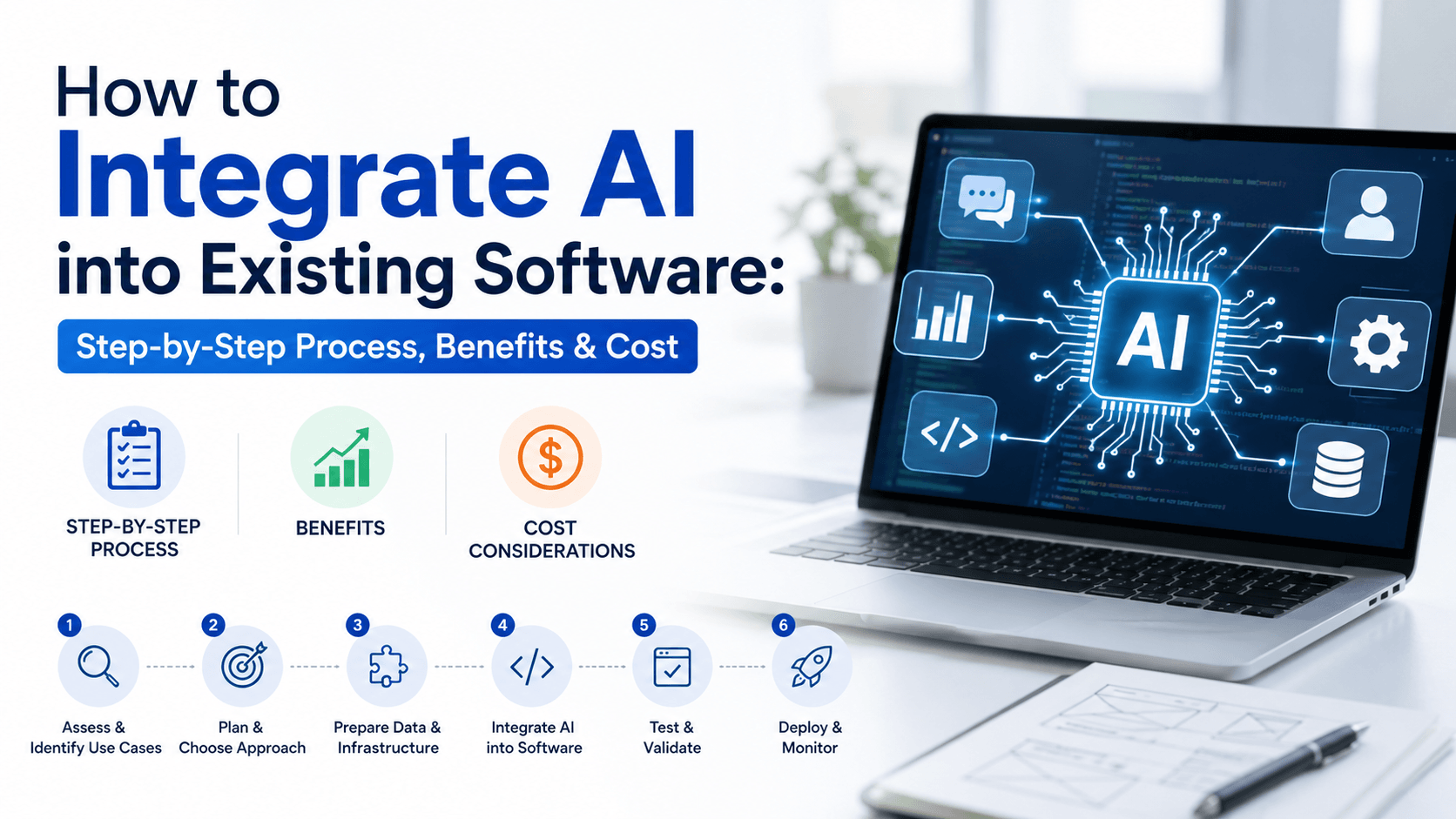
How to Integrate AI into Existing Software: Step-by-Step Process, Benefits & Cost
Learning how to integrate AI into existing software has become a priority for businesses that want to improve efficiency without rebuilding their entire technology stack. In many cases, the smarter move is improving what already works — whether that is a CRM, ERP, internal dashboard, web application, or customer-facing platform — instead of replacing it entirely.
The real value of AI integration comes from making existing systems more capable. Businesses use AI to automate repetitive tasks, improve customer experiences, generate better insights from data, and reduce operational inefficiencies — all without disrupting the workflows teams already rely on. Rather than starting from scratch, organizations are increasingly adding AI capabilities to existing systems to solve specific problems and improve performance over time.
In this guide, we will walk through the step-by-step process of integrating AI into existing software, the key benefits businesses can expect, common challenges to prepare for, and the cost factors involved so you can make informed decisions.
Table of Contents
- What Does AI Integration in Existing Software Mean?
- When Should Businesses Integrate AI into Existing Software?
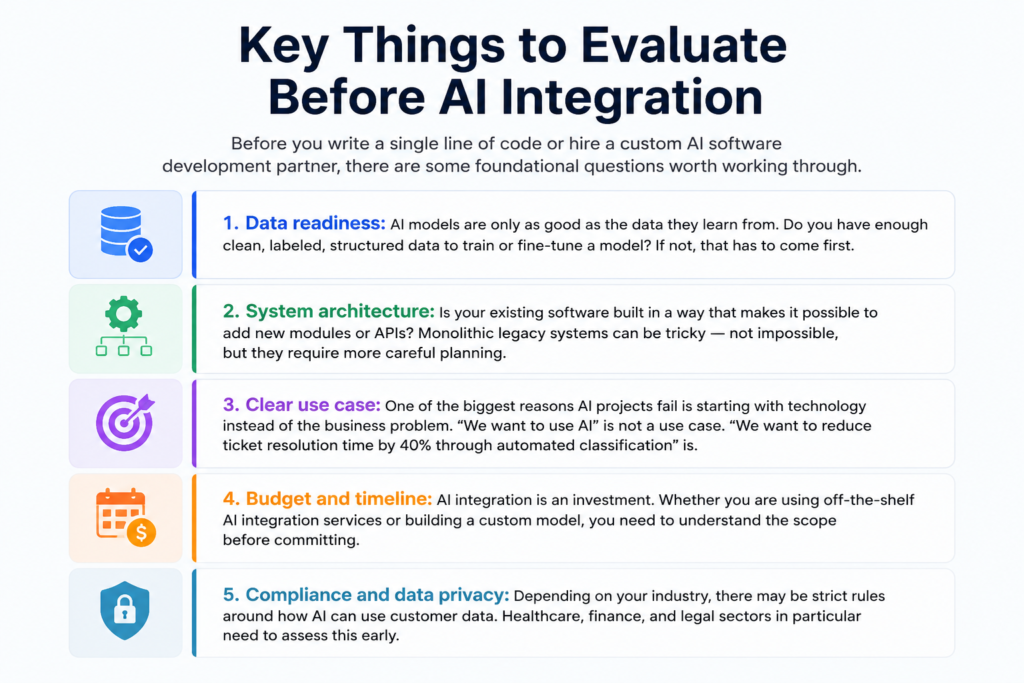
- Key Things to Evaluate Before AI Integration
- Step-by-Step Process to Integrate AI into Existing Software
- Types of AI Businesses Commonly Integrate
- Common Challenges Businesses Face During AI Integration
- Benefits of AI Integration in Existing Software
- How Much Does AI Integration Cost?
- How to Choose the Right AI Software Development Company
- Frequently Asked Questions
- Final Thoughts
What Does AI Integration in Existing Software Mean?
AI integration is the process of adding artificial intelligence capabilities — like machine learning, natural language processing, computer vision, or predictive analytics — into software that was built without them.
Think of it as upgrading your car’s engine rather than buying a new car. Your existing platform — its database, its user interface, its business logic — stays in place. What changes is the brain behind it. The software starts making predictions, learning from user behavior, automating decisions, and generating outputs that no amount of hand-coded rules could produce before.
This is different from building a fully AI-native product from scratch. When you integrate AI into a web application you already have, you are extending it. You are adding a layer — whether that is a third-party AI API like OpenAI or Google Vertex AI, a custom-trained model, or a pre-built ML module — on top of what already exists.
In most real-world cases, businesses are not trying to add AI everywhere at once. They usually start with one high-impact problem — reducing manual work, improving response times, or making better predictions — and expand from there once they see measurable results.
When Should Businesses Integrate AI into Existing Software?
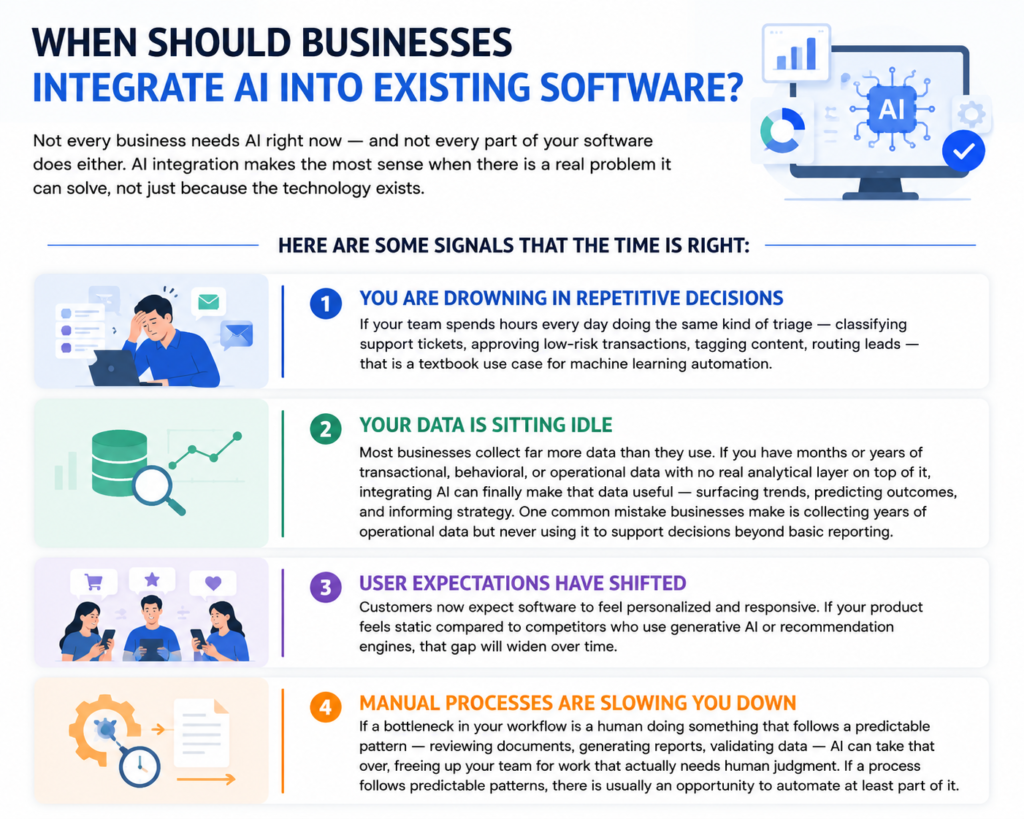
Not every business needs AI right now — and not every part of your software does either. AI integration makes the most sense when there is a real problem it can solve, not just because the technology exists.
Here are some signals that the time is right:
You are drowning in repetitive decisions
If your team spends hours every day doing the same kind of triage — classifying support tickets, approving low-risk transactions, tagging content, routing leads — that is a textbook use case for machine learning automation.
Your data is sitting idle
Most businesses collect far more data than they use. If you have months or years of transactional, behavioral, or operational data with no real analytical layer on top of it, integrating AI can finally make that data useful — surfacing trends, predicting outcomes, and informing strategy. One common mistake businesses make is collecting years of operational data but never using it to support decisions beyond basic reporting.
User expectations have shifted
Customers now expect software to feel personalized and responsive. If your product feels static compared to competitors who use generative AI or recommendation engines, that gap will widen over time.
Manual processes are slowing you down
If a bottleneck in your workflow is a human doing something that follows a predictable pattern — reviewing documents, generating reports, validating data — AI can take that over, freeing up your team for work that actually needs human judgment. If a process follows predictable patterns, there is usually an opportunity to automate at least part of it.
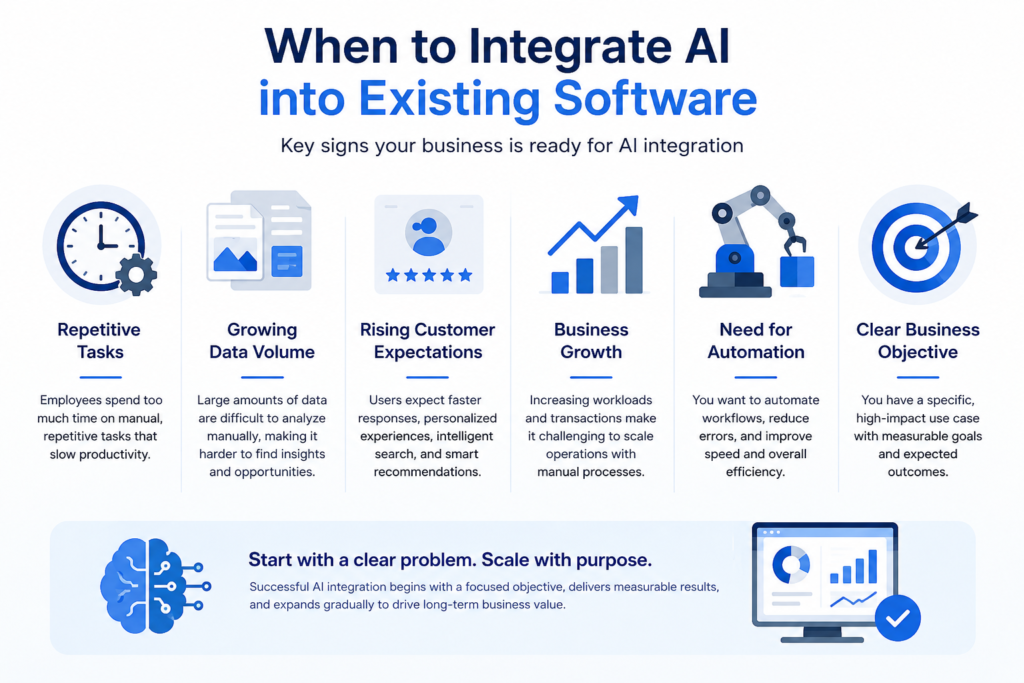
When Should Businesses Integrate AI into Existing Software?
Not every business needs AI right now — and not every part of your software does either. AI integration makes the most sense when there is a real problem it can solve, not just because the technology exists.
Here are some signals that the time is right:
You are drowning in repetitive decisions
If your team spends hours every day doing the same kind of triage — classifying support tickets, approving low-risk transactions, tagging content, routing leads — that is a textbook use case for machine learning automation.
Your data is sitting idle
Most businesses collect far more data than they use. If you have months or years of transactional, behavioral, or operational data with no real analytical layer on top of it, integrating AI can finally make that data useful — surfacing trends, predicting outcomes, and informing strategy. One common mistake businesses make is collecting years of operational data but never using it to support decisions beyond basic reporting.
User expectations have shifted
Customers now expect software to feel personalized and responsive. If your product feels static compared to competitors who use generative AI or recommendation engines, that gap will widen over time.
Manual processes are slowing you down
If a bottleneck in your workflow is a human doing something that follows a predictable pattern — reviewing documents, generating reports, validating data — AI can take that over, freeing up your team for work that actually needs human judgment. If a process follows predictable patterns, there is usually an opportunity to automate at least part of it.
Step-by-Step Process to Integrate AI into Existing Software
There is no single universal playbook, but the following process reflects what actually works when teams successfully integrate AI into a web application or enterprise platform.
- Define the problem and success metrics. Start with the outcome you want. What does success look like — reduced churn, faster processing, better accuracy, or lower operational costs? Define measurable goals and attach numbers to them so you know whether the integration is actually delivering results.
- Audit your data. Inventory what data you have, where it lives, and how clean it is. This stage often reveals gaps that need to be fixed before AI can deliver meaningful results. Many teams discover at this point that data quality — not the AI model — becomes the biggest blocker. Missing values, inconsistent formatting, or disconnected systems often slow projects down more than expected.
- Choose your AI approach. Decide whether you are using a third-party API (the fastest option), a pre-trained model that you fine-tune, or a custom-trained model (the most flexible but also the most expensive). The right choice depends on your use case, available data, budget, and long-term goals.
- Design the integration architecture. Plan how the AI component will communicate with your existing system — whether through APIs, event streams, middleware, or database hooks. This stage determines how smoothly AI will fit into your current workflows.
- Build and test in isolation. Develop the AI module separately before connecting it to your live system. Test it against real-world data and measure performance against the success metrics you defined earlier.
- Integrate and run parallel testing. Connect the AI component to your existing software and run it alongside your current process. Compare outputs, identify inconsistencies, and validate performance before fully switching over.
- Deploy and monitor. Going live is the beginning, not the finish line. AI models can drift over time as real-world conditions change, so performance monitoring and ongoing evaluation should be built in from day one.
- Iterate and improve. Use feedback from actual usage to retrain models, adjust thresholds, improve accuracy, or expand the AI’s role across additional workflows.
Types of AI Businesses Commonly Integrate
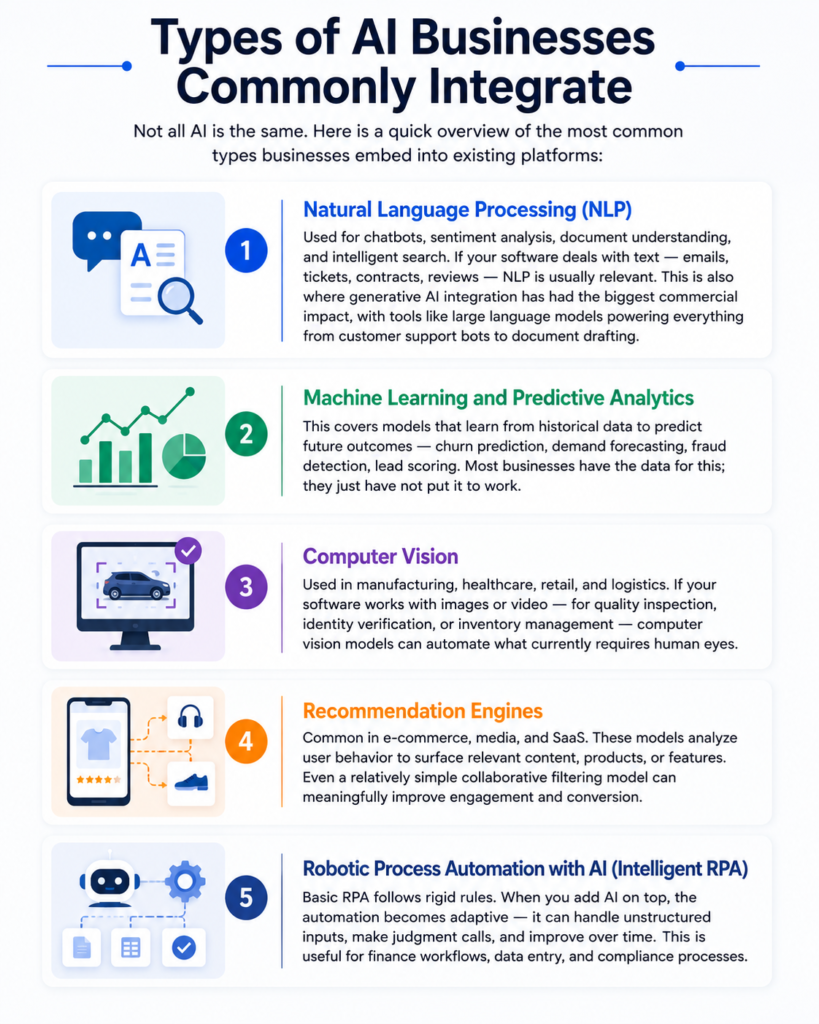
Not all AI is the same. Here is a quick overview of the most common types businesses embed into existing platforms:
Natural Language Processing (NLP)
Used for chatbots, sentiment analysis, document understanding, and intelligent search. If your software deals with text — emails, tickets, contracts, reviews — NLP is usually relevant. This is also where generative AI integration has had the biggest commercial impact, with tools like large language models powering everything from customer support bots to document drafting.
Machine Learning and Predictive Analytics
This covers models that learn from historical data to predict future outcomes — churn prediction, demand forecasting, fraud detection, lead scoring. Most businesses have the data for this; they just have not put it to work.
Computer Vision
Used in manufacturing, healthcare, retail, and logistics. If your software works with images or video — for quality inspection, identity verification, or inventory management — computer vision models can automate what currently requires human eyes.
Recommendation Engines
Common in e-commerce, media, and SaaS. These models analyze user behavior to surface relevant content, products, or features. Even a relatively simple collaborative filtering model can meaningfully improve engagement and conversion.
Robotic Process Automation with AI (Intelligent RPA)
Basic RPA follows rigid rules. When you add AI on top, the automation becomes adaptive — it can handle unstructured inputs, make judgment calls, and improve over time. This is useful for finance workflows, data entry, and compliance processes.
Common Challenges Businesses Face During AI Integration
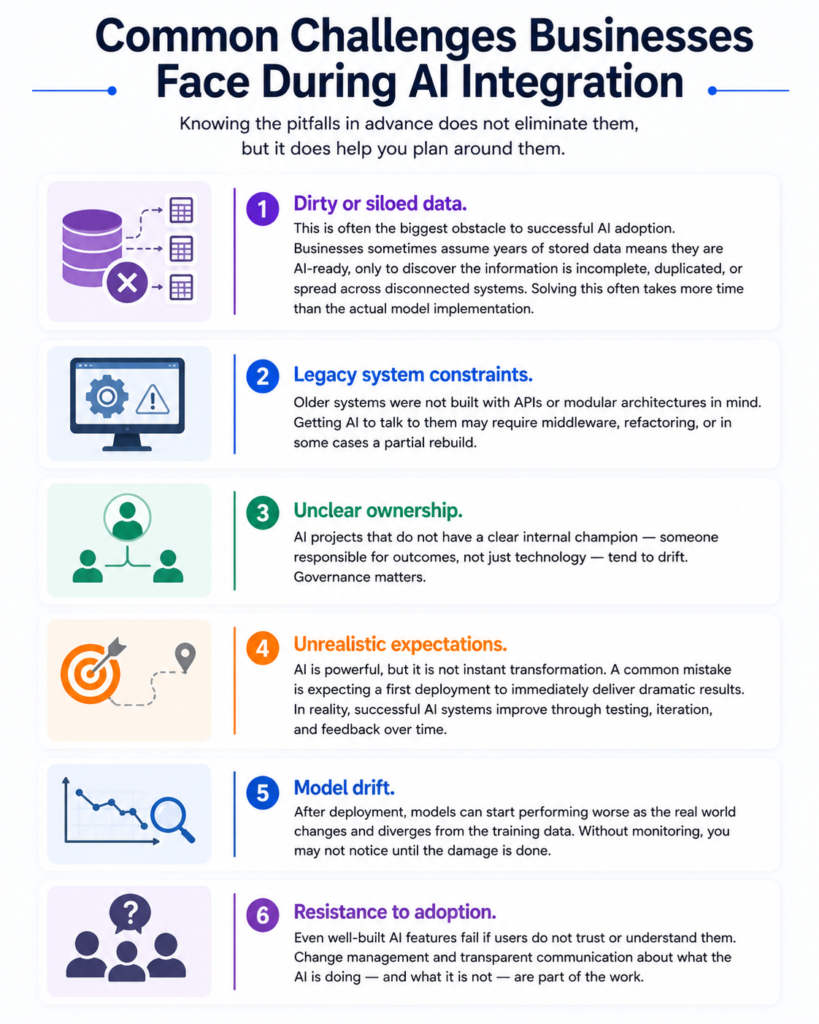
Knowing the pitfalls in advance does not eliminate them, but it does help you plan around them.
- Dirty or siloed data. This is often the biggest obstacle to successful AI adoption. Businesses sometimes assume years of stored data means they are AI-ready, only to discover the information is incomplete, duplicated, or spread across disconnected systems. Solving this often takes more time than the actual model implementation.
- Legacy system constraints. Older systems were not built with APIs or modular architectures in mind. Getting AI to talk to them may require middleware, refactoring, or in some cases a partial rebuild.
- Unclear ownership. AI projects that do not have a clear internal champion — someone responsible for outcomes, not just technology — tend to drift. Governance matters.
- Unrealistic expectations. AI is powerful, but it is not instant transformation. A common mistake is expecting a first deployment to immediately deliver dramatic results. In reality, successful AI systems improve through testing, iteration, and feedback over time.
- Model drift. After deployment, models can start performing worse as the real world changes and diverges from the training data. Without monitoring, you may not notice until the damage is done.
- Resistance to adoption. Even well-built AI features fail if users do not trust or understand them. Change management and transparent communication about what the AI is doing — and what it is not — are part of the work.
Benefits of AI Integration in Existing Software
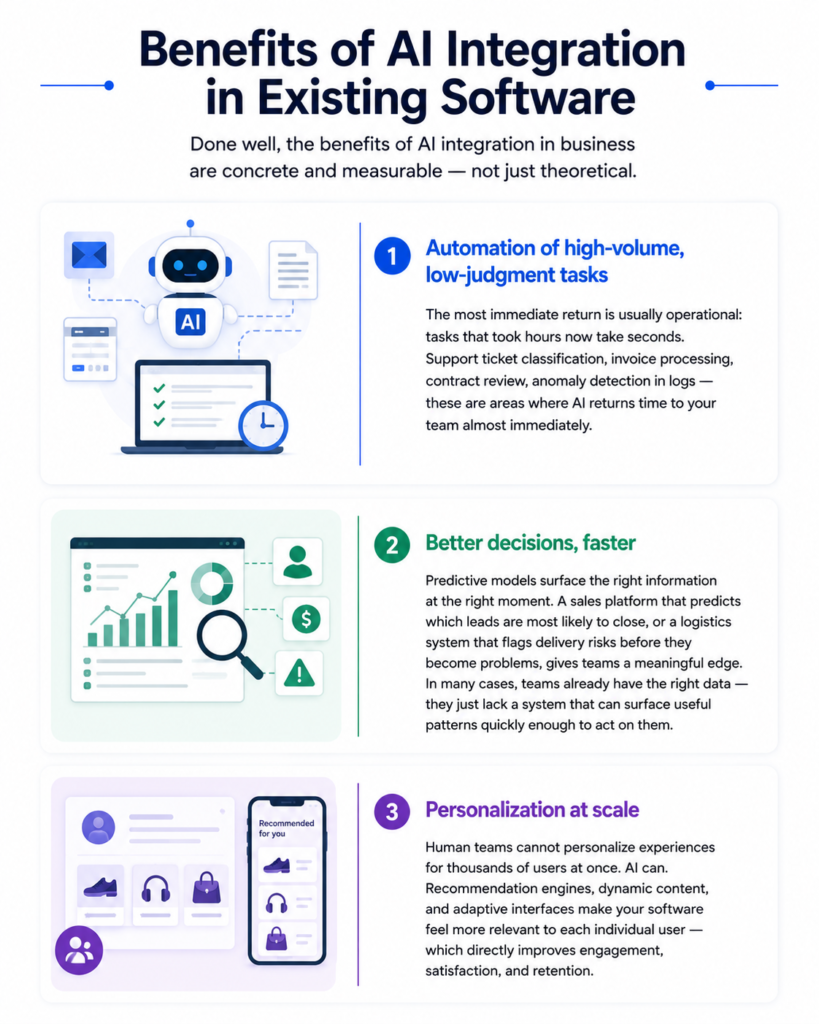
Done well, the benefits of AI integration in business are concrete and measurable — not just theoretical.
Automation of high-volume, low-judgment tasks
The most immediate return is usually operational: tasks that took hours now take seconds. Support ticket classification, invoice processing, contract review, anomaly detection in logs — these are areas where AI returns time to your team almost immediately.
Better decisions, faster
Predictive models surface the right information at the right moment. A sales platform that predicts which leads are most likely to close, or a logistics system that flags delivery risks before they become problems, gives teams a meaningful edge. In many cases, teams already have the right data — they just lack a system that can surface useful patterns quickly enough to act on them.
Personalization at scale
Human teams cannot personalize experiences for thousands of users at once. AI can. Recommendation engines, dynamic content, and adaptive interfaces make your software feel more relevant to each individual user — which directly impacts retention and conversion.
Competitive positioning
AI integration is increasingly a baseline expectation in many software categories. If your competitors have it and you do not, the gap is visible to your customers. If you have it and they do not, it is a genuine differentiator.
Lower long-term operational costs
The upfront investment in AI integration services is real, but so are the savings. Reduced manual labor, fewer errors, faster throughput, and lower support costs compound over time. Businesses see a positive ROI within 12 to 18 months of a well-scoped integration.
How Much Does AI Integration Cost?
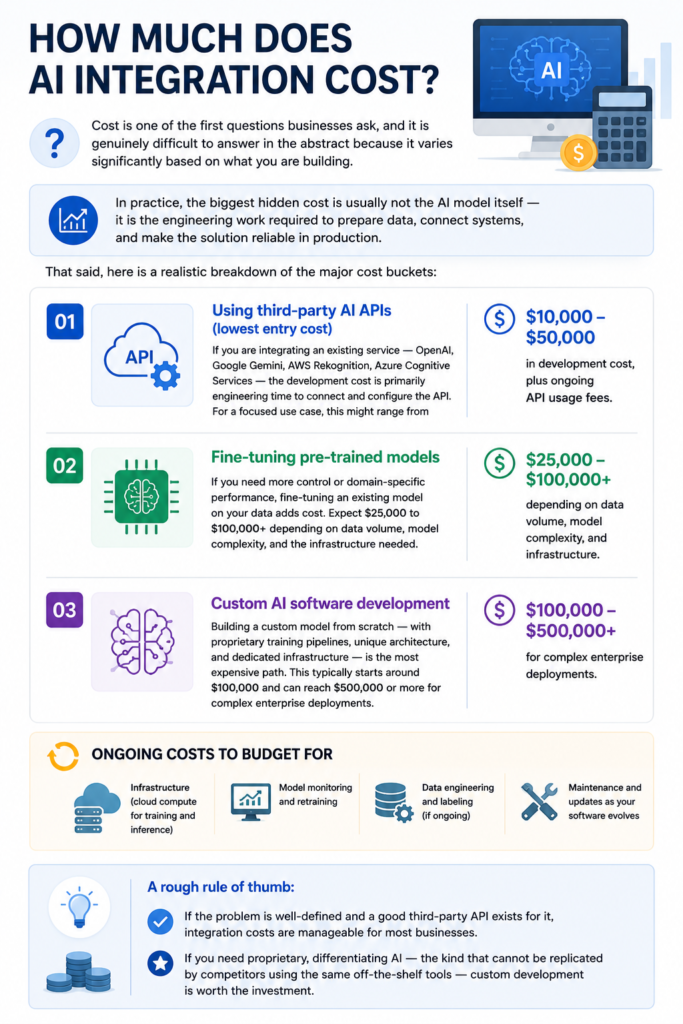
Cost is one of the first questions businesses ask, and it is genuinely difficult to answer in the abstract because it varies significantly based on what you are building.
In practice, the biggest hidden cost is usually not the AI model itself — it is the engineering work required to prepare data, connect systems, and make the solution reliable in production.
That said, here is a realistic breakdown of the major cost buckets:
Using third-party AI APIs (lowest entry cost)
If you are integrating an existing service — OpenAI, Google Gemini, AWS Rekognition, Azure Cognitive Services — the development cost is primarily engineering time to connect and configure the API. For a focused use case, this might range from $10,000 to $50,000 in development cost, plus ongoing API usage fees.
Fine-tuning pre-trained models
If you need more control or domain-specific performance, fine-tuning an existing model on your data adds cost. Expect $25,000 to $100,000+ depending on data volume, model complexity, and the infrastructure needed.
Custom AI software development
Building a custom model from scratch — with proprietary training pipelines, unique architecture, and dedicated infrastructure — is the most expensive path. This typically starts around $100,000 and can reach $500,000 or more for complex enterprise deployments.
Ongoing costs to budget for
- Infrastructure (cloud compute for training and inference)
- Model monitoring and retraining
- Data engineering and labeling (if ongoing)
- Maintenance and updates as your software evolves
A rough rule of thumb: if the problem is well-defined and a good third-party API exists for it, integration costs are manageable for most businesses. If you need proprietary, differentiating AI — the kind that cannot be replicated by competitors using the same off-the-shelf tools — custom development is worth the investment.
How to Choose the Right AI Software Development Company
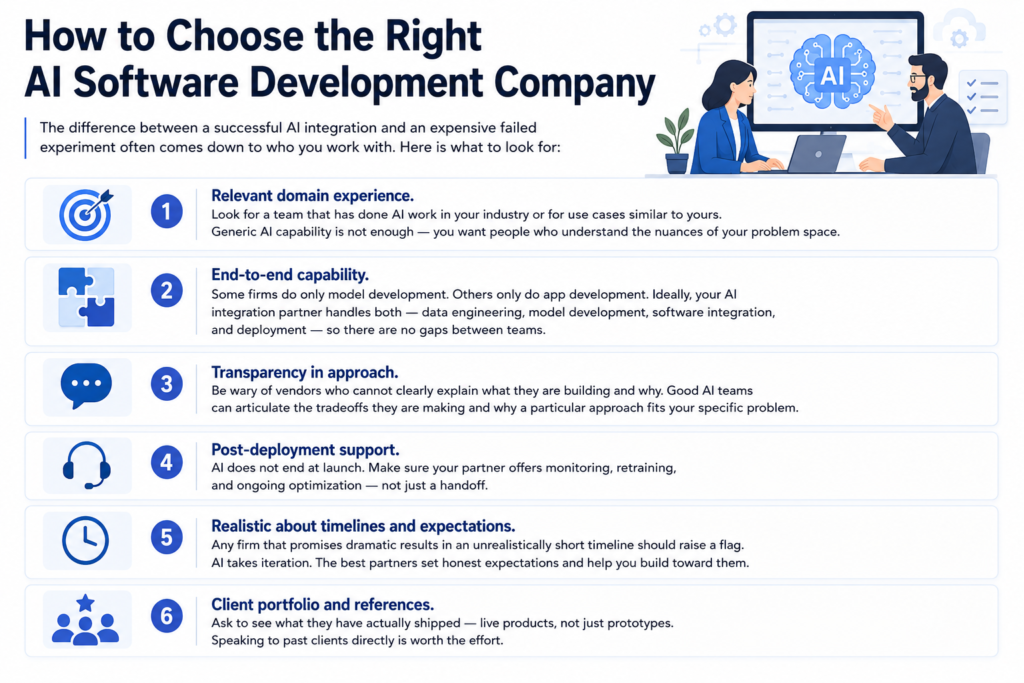
The difference between a successful AI integration and an expensive failed experiment often comes down to who you work with. Here is what to look for:
- Relevant domain experience. Look for a team that has done AI work in your industry or for use cases similar to yours. Generic AI capability is not enough — you want people who understand the nuances of your problem space.
- End-to-end capability. Some firms do only model development. Others only do app development. Ideally, your AI integration partner handles both — data engineering, model development, software integration, and deployment — so there are no gaps between teams.
- Transparency in approach. Be wary of vendors who cannot clearly explain what they are building and why. Good AI teams can articulate the tradeoffs they are making and why a particular approach fits your specific problem.
- Post-deployment support. AI does not end at launch. Make sure your partner offers monitoring, retraining, and ongoing optimization — not just a handoff.
- Realistic about timelines and expectations. Any firm that promises dramatic results in an unrealistically short timeline should raise a flag. AI takes iteration. The best partners set honest expectations and help you build toward them.
- Client portfolio and references. Ask to see what they have actually shipped — live products, not just prototypes. Speaking to past clients directly is worth the effort.
Frequently Asked Questions
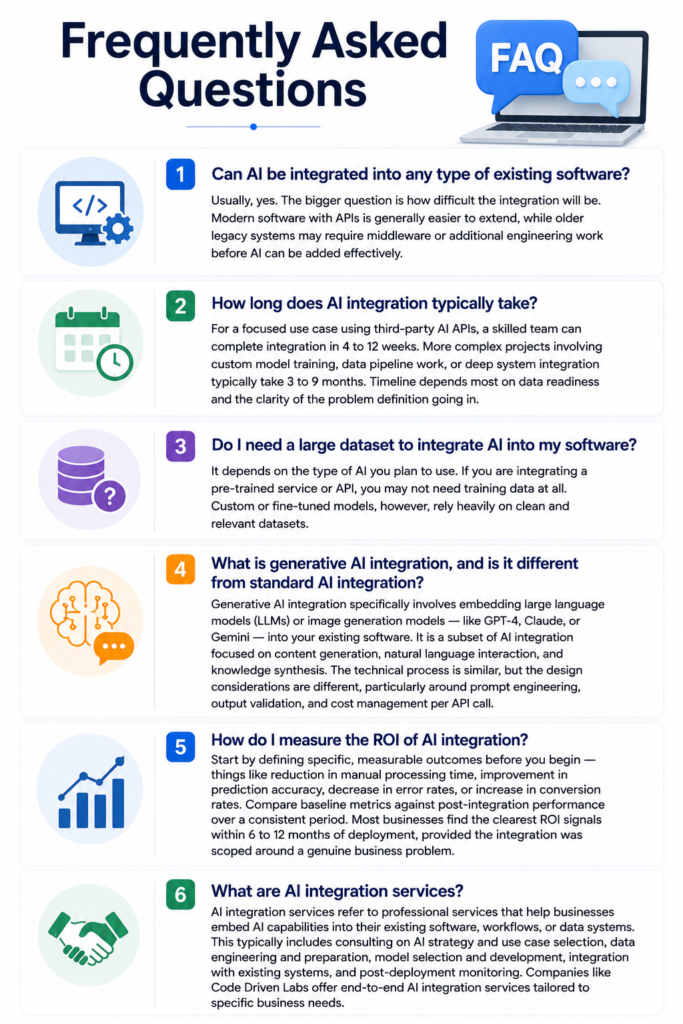
Can AI be integrated into any type of existing software?
Usually, yes. The bigger question is how difficult the integration will be. Modern software with APIs is generally easier to extend, while older legacy systems may require middleware or additional engineering work before AI can be added effectively.
How long does AI integration typically take?
For a focused use case using third-party AI APIs, a skilled team can complete integration in 4 to 12 weeks. More complex projects involving custom model training, data pipeline work, or deep system integration typically take 3 to 9 months. Timeline depends most on data readiness and the clarity of the problem definition going in.
Do I need a large dataset to integrate AI into my software?
It depends on the type of AI you plan to use. If you are integrating a pre-trained service or API, you may not need training data at all. Custom or fine-tuned models, however, rely heavily on clean and relevant datasets.
What is generative AI integration, and is it different from standard AI integration?
Generative AI integration specifically involves embedding large language models (LLMs) or image generation models — like GPT-4, Claude, or Gemini — into your existing software. It is a subset of AI integration focused on content generation, natural language interaction, and knowledge synthesis. The technical process is similar, but the design considerations are different, particularly around prompt engineering, output validation, and cost management per API call.
How do I measure the ROI of AI integration?
Start by defining specific, measurable outcomes before you begin — things like reduction in manual processing time, improvement in prediction accuracy, decrease in error rates, or increase in conversion rates. Compare baseline metrics against post-integration performance over a consistent period. Most businesses find the clearest ROI signals within 6 to 12 months of deployment, provided the integration was scoped around a genuine business problem.
What are AI integration services?
AI integration services refer to professional services that help businesses embed AI capabilities into their existing software, workflows, or data systems. This typically includes consulting on AI strategy and use case selection, data engineering and preparation, model selection and development, integration with existing systems, and post-deployment monitoring. Companies like Code Driven Labs offer end-to-end AI integration services tailored to specific business needs.
Final Thoughts
If there is one thing to take away from this guide, it is that learning how to integrate AI into existing software is not about chasing a trend — it is about solving real problems more effectively than you could before.
The businesses that will benefit most from AI are not necessarily the ones with the biggest budgets. They are the ones that start with a clear problem, choose the right approach for their data and architecture, and work with a team that knows how to ship AI that actually works in production — not just demos.
Whether you are exploring AI integration for the first time or looking to expand an existing implementation, the path forward starts with asking the right questions. What is the specific outcome you want? What data do you have? And who has the experience to build it reliably?
For businesses exploring AI integration, working with an experienced implementation partner can reduce technical risk and shorten development time. At Code Driven Labs, we help companies design and deploy practical AI solutions built around measurable business outcomes.