Level up your business with US.
- Home
- Docker vs. Kubernetes: What’s Best for Your Project?
Docker vs. Kubernetes: What’s Best for Your Project?
January 9, 2026 - Blog
Docker vs. Kubernetes: What’s Best for Your Project?
As modern software development moves toward cloud-native architectures, containerization has become a cornerstone of scalable and efficient application deployment. Two technologies dominate this space: Docker and Kubernetes. While they are often mentioned together, they serve different purposes—and choosing the right one (or both) can significantly impact your project’s success.
This article breaks down the differences between Docker and Kubernetes, explains when to use each, and highlights how Code Driven Labs helps organizations make the right containerization and orchestration decisions.
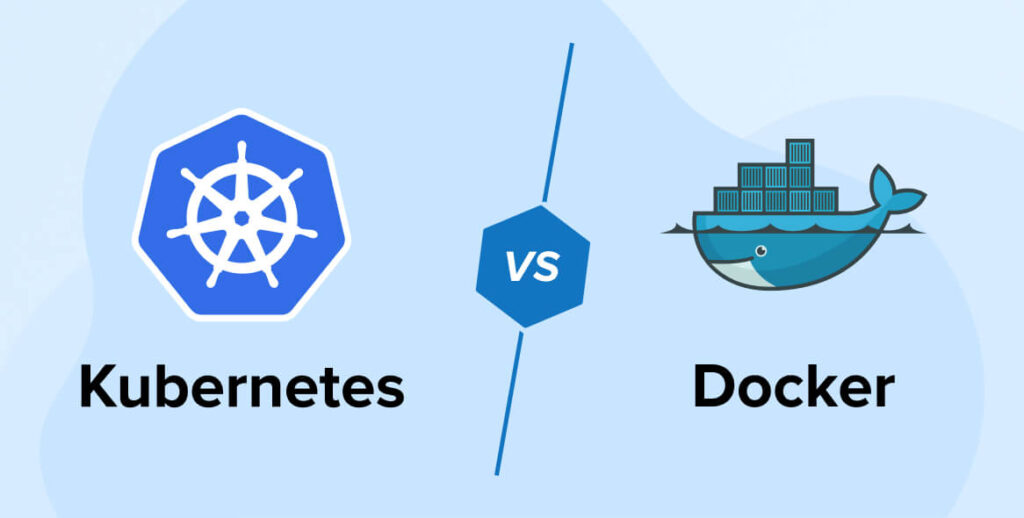
Understanding Docker: The Foundation of Containerization
Docker is a containerization platform that allows developers to package applications and their dependencies into lightweight, portable containers. These containers run consistently across different environments—development, testing, staging, and production.
Key Features of Docker
-
Consistency Across Environments
Docker ensures applications behave the same way regardless of where they are deployed. -
Lightweight and Fast
Containers share the host OS kernel, making them faster and more resource-efficient than virtual machines. -
Simplified Deployment
Docker images bundle code, libraries, and configurations into a single unit. -
Developer-Friendly
Docker is easy to learn and ideal for local development and testing.
When Docker Is Enough
Docker is often sufficient when:
-
You’re building small to medium-sized applications
-
You need consistent development and testing environments
-
Your deployment architecture is simple
-
You’re running containers on a single server or limited infrastructure
However, Docker alone does not manage complex container lifecycles at scale. That’s where Kubernetes comes in.
Understanding Kubernetes: Container Orchestration at Scale
Kubernetes (often called K8s) is a container orchestration platform designed to manage, scale, and automate containerized applications across clusters of machines.
While Docker handles how containers are built and run, Kubernetes manages how containers work together in production environments.
Key Features of Kubernetes
-
Automatic Scaling
Kubernetes scales applications up or down based on traffic and resource usage. -
High Availability & Self-Healing
Failed containers are automatically restarted or replaced. -
Load Balancing
Traffic is distributed efficiently across multiple containers and services. -
Rolling Updates & Rollbacks
Deploy new versions without downtime and revert instantly if issues arise. -
Infrastructure Abstraction
Kubernetes works across cloud providers, on-premise systems, and hybrid environments.
When Kubernetes Becomes Essential
Kubernetes is ideal when:
-
Applications are large or microservices-based
-
You expect high or unpredictable traffic
-
High availability and fault tolerance are critical
-
You need automated deployments and scaling
-
You operate in multi-cloud or hybrid environments
Docker vs. Kubernetes: Key Differences Explained
| Aspect | Docker | Kubernetes |
|---|---|---|
| Primary Role | Container creation & runtime | Container orchestration |
| Complexity | Simple and lightweight | More complex, enterprise-grade |
| Scalability | Limited | Highly scalable |
| Automation | Basic | Advanced automation |
| Learning Curve | Easy | Steeper |
| Best For | Development & small deployments | Production & large systems |
Importantly, Docker and Kubernetes are not competitors—they complement each other. Docker is often used to create containers, while Kubernetes manages them at scale.
Which One Is Best for Your Project?
Choose Docker If:
-
You’re building a proof of concept or MVP
-
Your app has minimal scaling needs
-
You want fast development and testing
-
Your team is new to containerization
Choose Kubernetes If:
-
You’re running microservices or distributed systems
-
High availability and scalability are critical
-
You need automated deployments and rollbacks
-
You operate across multiple environments or cloud platforms
Best Practice: Use Docker + Kubernetes Together
For most modern production systems, the best approach is Docker for containerization and Kubernetes for orchestration. This combination provides flexibility, reliability, and scalability.
Common Challenges with Docker and Kubernetes
Despite their advantages, teams often face challenges such as:
-
Complex Kubernetes setup and configuration
-
Managing container security and secrets
-
Monitoring container health and performance
-
CI/CD integration difficulties
-
Cost optimization in large clusters
These challenges highlight the need for experienced partners who understand both development and operations.
How Code Driven Labs Helps with Docker & Kubernetes Adoption
Code Driven Labs helps businesses design, build, and manage containerized applications using Docker and Kubernetes—without unnecessary complexity.
Container Strategy & Architecture
Code Driven Labs assesses your business needs and recommends the right container strategy—Docker-only, Kubernetes-based, or a hybrid approach.
Dockerization of Applications
They convert legacy and modern applications into optimized Docker containers, ensuring performance, security, and portability.
Kubernetes Setup & Management
Code Driven Labs handles Kubernetes cluster setup, configuration, and optimization across cloud platforms such as AWS, Azure, and Google Cloud.
DevOps & CI/CD Integration
They integrate Docker and Kubernetes into CI/CD pipelines for automated builds, testing, deployments, and rollbacks.
Security & Compliance
From container security scanning to secrets management and access control, Code Driven Labs ensures your container ecosystem is secure and compliant.
Monitoring & Cost Optimization
They implement monitoring, logging, and performance tools to ensure reliability while controlling infrastructure costs.
Docker and Kubernetes in Real-World Scenarios
Startups & MVPs
Docker enables rapid development and testing. Kubernetes can be introduced later as the product scales.
Enterprises & SaaS Platforms
Kubernetes ensures uptime, scalability, and smooth deployments across regions and customers.
Data-Intensive Applications
Kubernetes efficiently manages workloads for data pipelines, machine learning models, and real-time analytics.
Future Trends in Containerization
-
Managed Kubernetes Services (EKS, AKS, GKE)
-
Serverless Containers
-
AI-driven auto-scaling and monitoring
-
Stronger container security standards
Organizations adopting container technologies today are better positioned for future innovation.
Conclusion
Docker and Kubernetes serve different but complementary purposes. Docker simplifies application packaging and consistency, while Kubernetes excels at managing and scaling applications in production. Choosing the right tool—or combination—depends on your project size, complexity, and growth goals.
With expert guidance from Code Driven Labs, organizations can adopt Docker and Kubernetes strategically, ensuring faster deployments, higher reliability, and long-term scalability.